> ## Documentation Index
> Fetch the complete documentation index at: https://docs.driv.ly/llms.txt
> Use this file to discover all available pages before exploring further.

# Transport & Delivery

> Get started with Transport & Delivery workflows with our step-by-step guide.

export const StoryBoard = ({children}) => <div className="p-6 bg-gray-100/50 dark:bg-gray-800/25 rounded">
    <p className="text-base py-2 leading-6">{children}</p>
  </div>;

export const HeroContent = ({children, withGrid}) => <div>
    <div className="not-prose relative bg-gray-50/50 rounded-xl overflow-hidden dark:bg-gray-800/25">
      {withGrid && <div className="absolute grid content-center inset-0 bg-grid-neutral-200/20 [mask-image:linear-gradient(0deg,#fff,rgba(255,255,255,0.6))] dark:bg-grid-white/5 dark:[mask-image:linear-gradient(0deg,rgba(255,255,255,0.1),rgba(255,255,255,0.5))]" style={{
  backgroundPosition: '10px 10px',
  color: '#070712'
}}></div>}
      <div className="relative rounded-xl overflow-hidden flex justify-center">{children}</div>
      <div className="absolute inset-0 pointer-events-none border border-black/5 rounded-xl dark:border-white/5"></div>
    </div>
  </div>;

<HeroContent>
  <img class="block dark:hidden" src="https://mintcdn.com/drivly/lS-LOhC8keZU5zBZ/images/transport/TransportMapLight.png?fit=max&auto=format&n=lS-LOhC8keZU5zBZ&q=85&s=33627c606ee00c38723842585bff428c" alt="Transport map" width="2880" height="1454" data-path="images/transport/TransportMapLight.png" />

  <img class="hidden dark:block" src="https://mintcdn.com/drivly/lS-LOhC8keZU5zBZ/images/transport/TransportMapDark.png?fit=max&auto=format&n=lS-LOhC8keZU5zBZ&q=85&s=456eb7989f18c7d4b698264a2f7d40d3" alt="Transport map" width="2880" height="1454" data-path="images/transport/TransportMapDark.png" />
</HeroContent>

## Prerequisites

Before diving into the integration process, ensure you have the following:

1. [Sign up](https://drivly.typeform.com/applyforaccess) for a Drivly account
2. Create a [DRIVLY\_API\_KEY](/developers/auth)
3. Have a basic understanding of REST APIs
4. A secure environment for handling sensitive data

<Warning>
  Always perform Transport & Delivery operations server-side to secure API keys.
</Warning>

***

## Overview

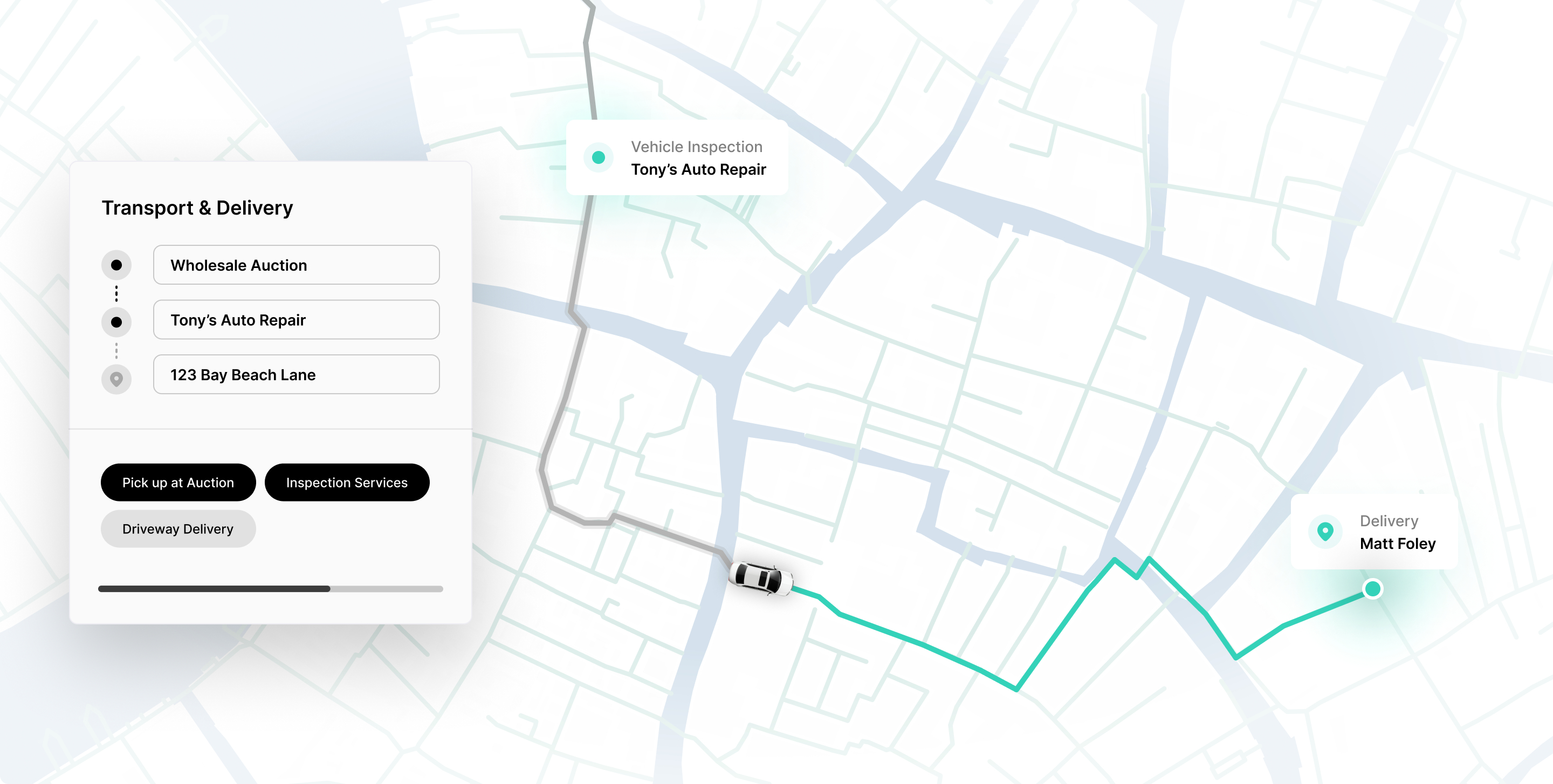
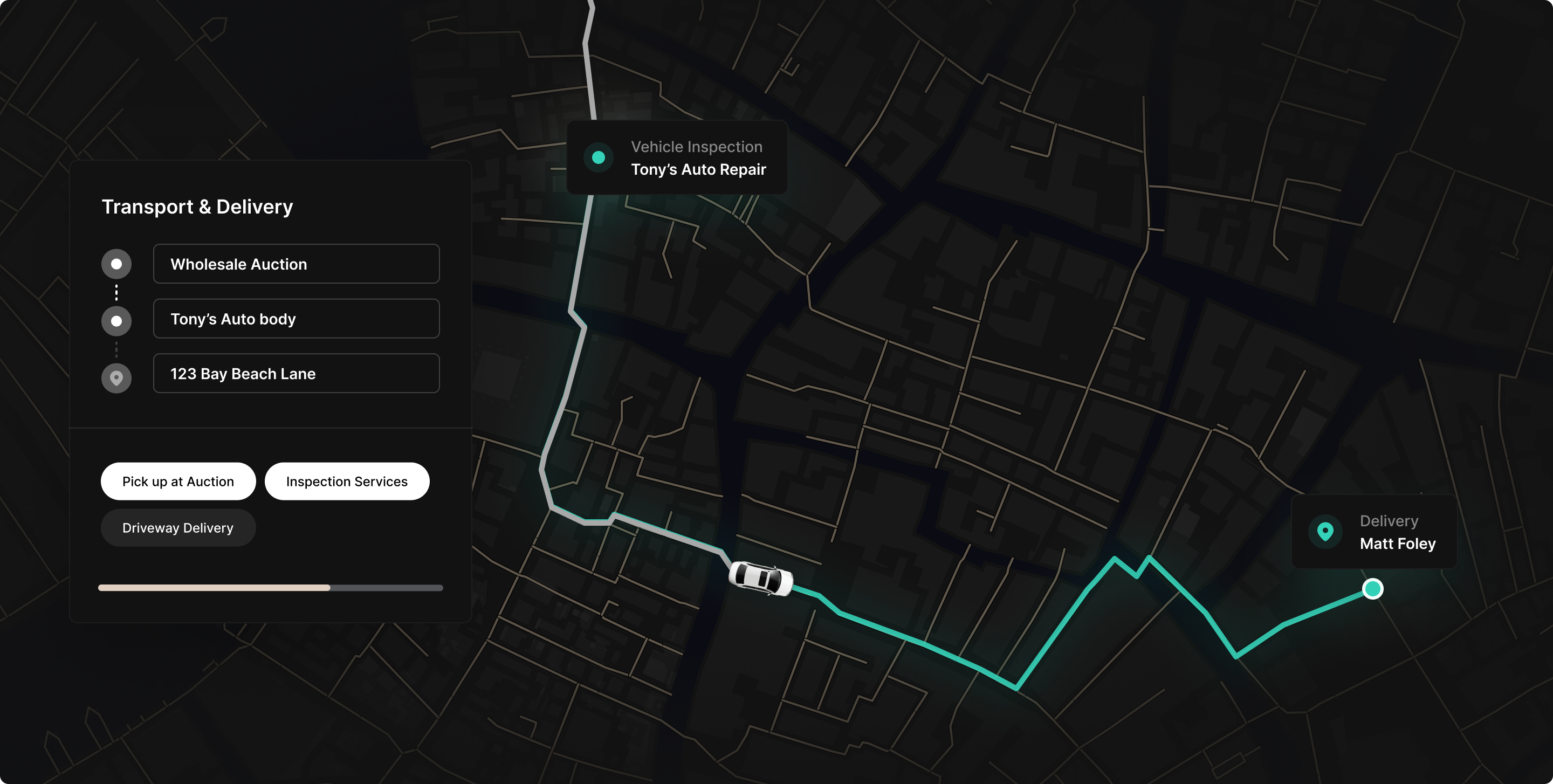
The Transport & Delivery API offers endpoints to retrieve quotes for vehicle transportation and delivery services. By integrating this API into your platform, you can provide customers with a seamless experience to order transport services directly.

Let's follow the example scenario below:

<StoryBoard>
  Matt works for a large automotive sales platform, AutoHub. AutoHub wants to
  integrate the Transport & Delivery API into their online services, allowing
  customers to order transport services without the need for a salesperson.
</StoryBoard>

To complete this scenario, you will need to:

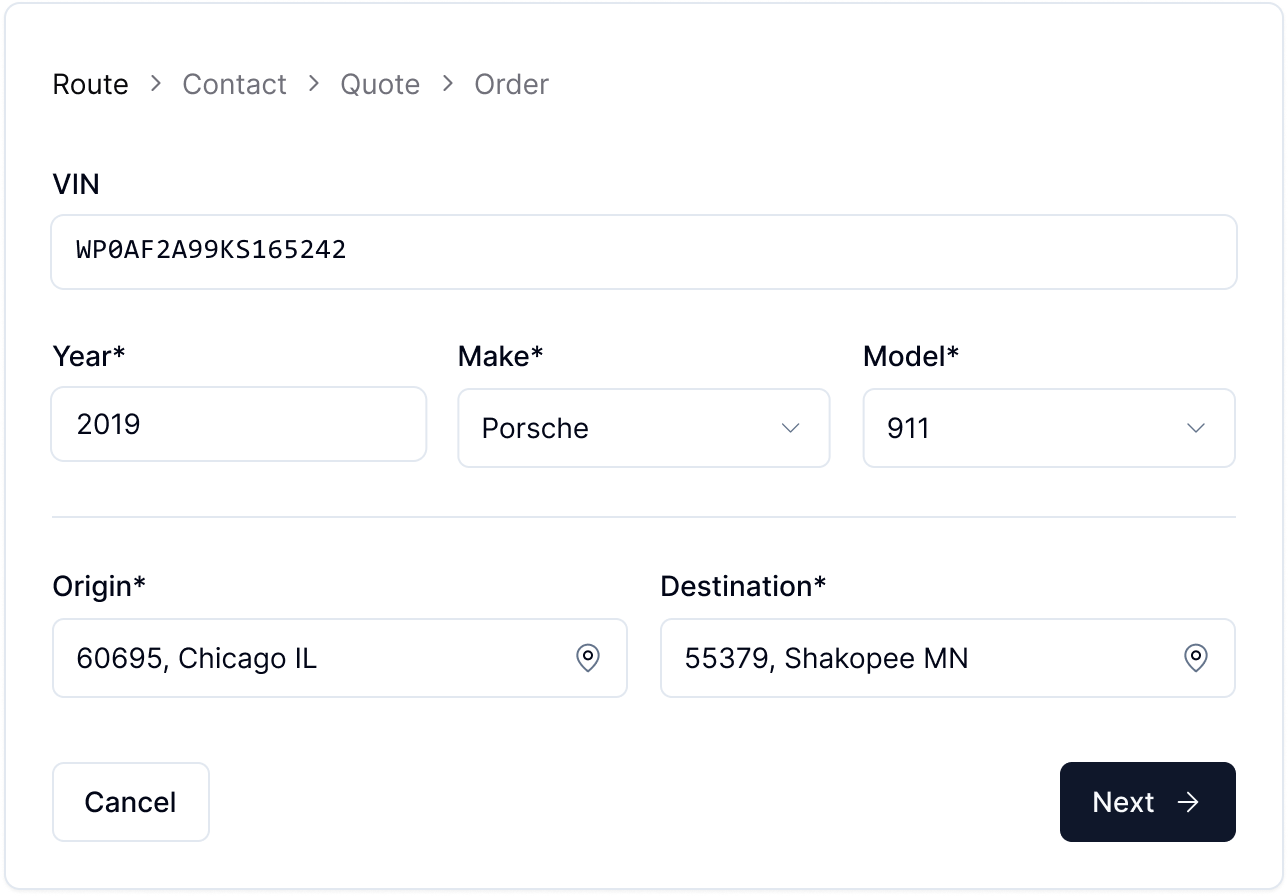
1. Enter route details.
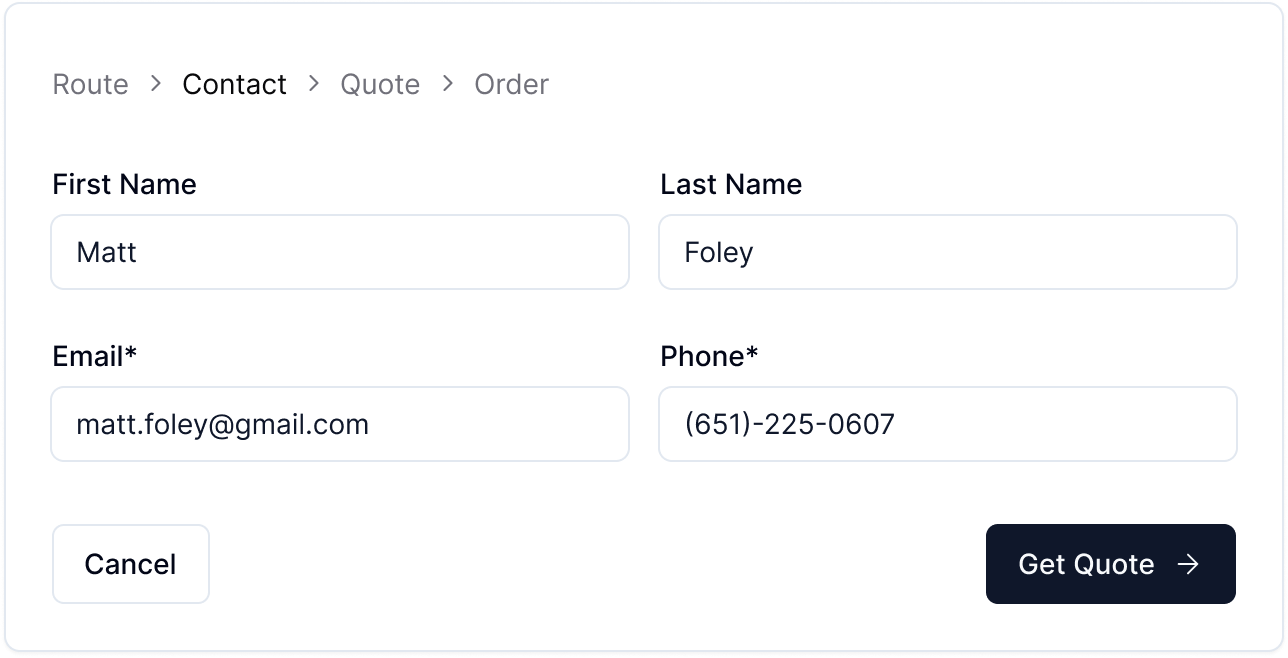
2. Capture contact information.
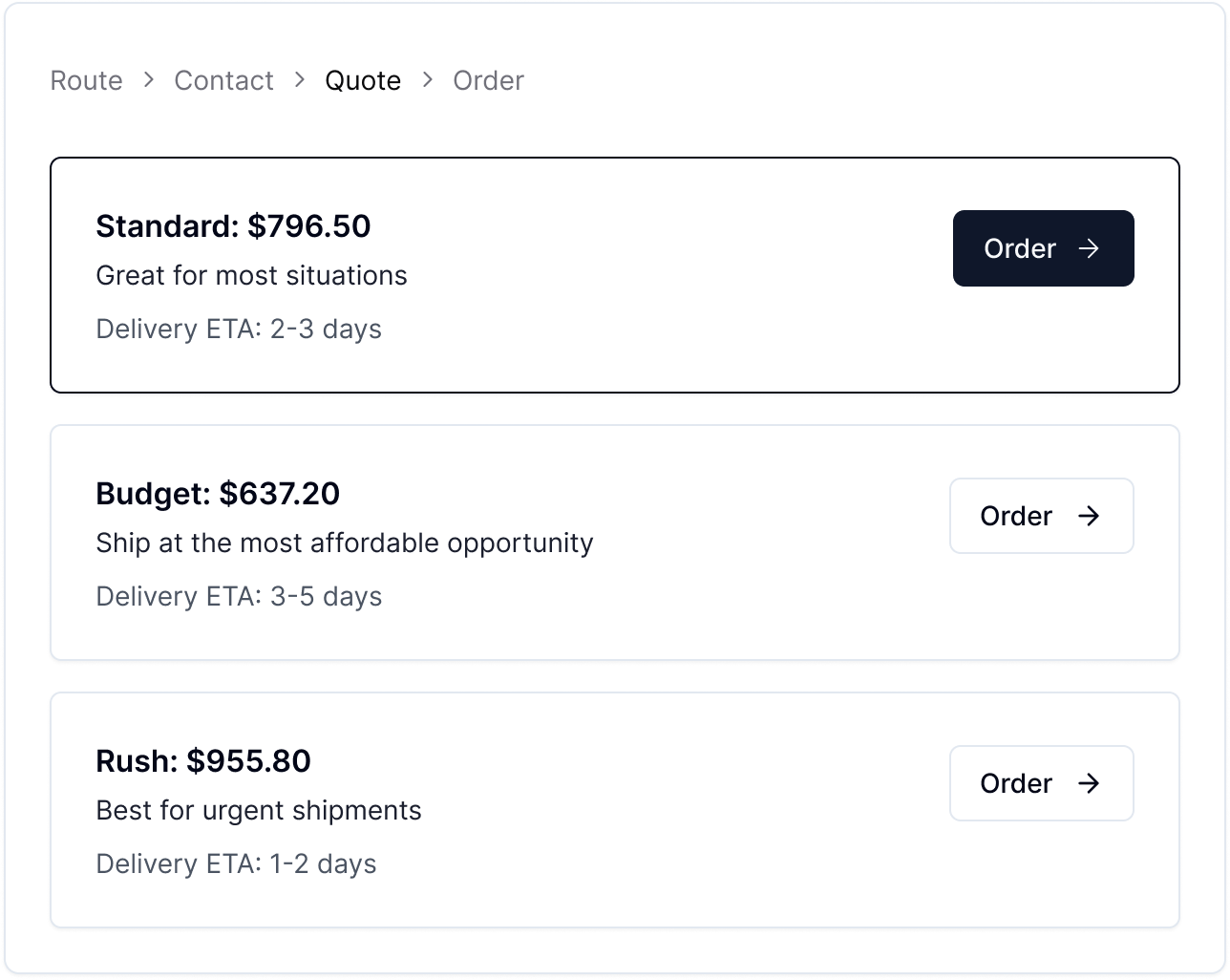
3. Receive a quote.
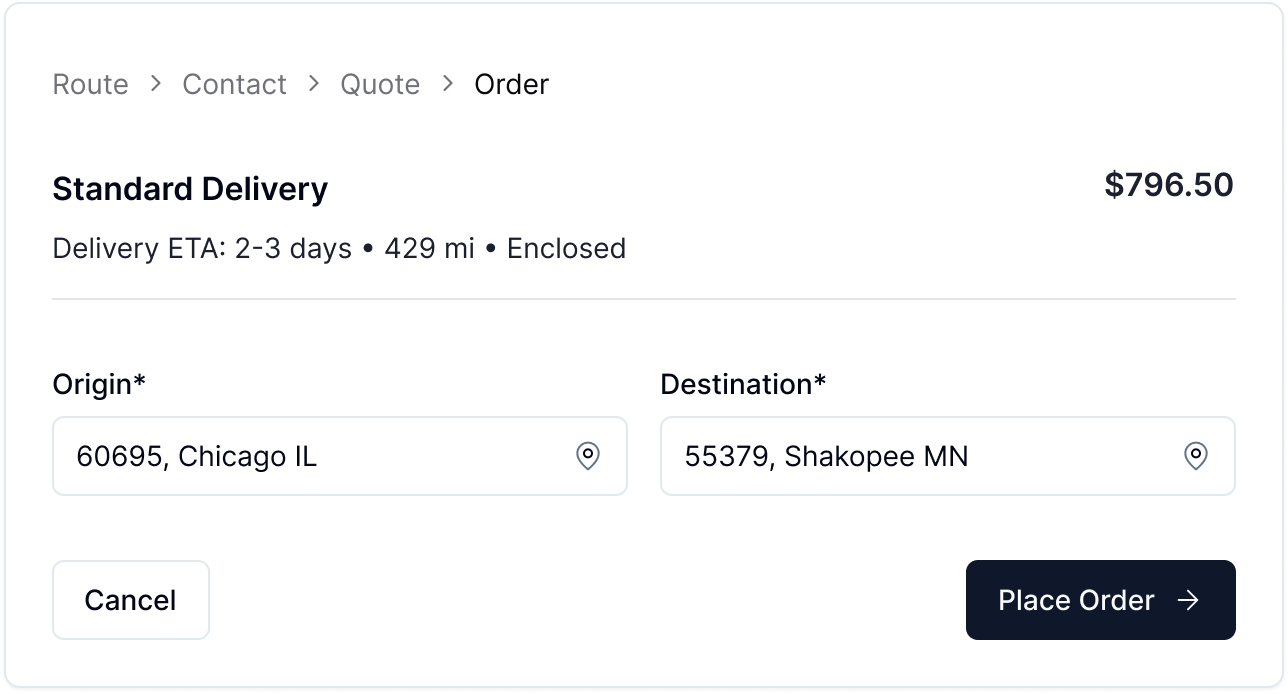
4. Order transport services.

## Walkthrough

<Steps>
  <Step title="Enter Vehicle and Route Details">
    <Frame>
      <img class="block" src="https://mintcdn.com/drivly/lS-LOhC8keZU5zBZ/images/transport/Route.png?fit=max&auto=format&n=lS-LOhC8keZU5zBZ&q=85&s=3690d3e576153d525b7b28f26875fe09" alt="Route" width="1288" height="896" data-path="images/transport/Route.png" />
    </Frame>

    ```json Request Body theme={null}
    {
      "type": "transport-&-delivery",
      "vin": "WP0AF2A99KS165242",
      "fromZip": "60695",
      "toZip": "55379",
      "trailerType": "enclosed",
      "pickupDate": "2024-06-01T12:00:00Z"
    }
    ```
  </Step>

  <Step title="Capture Contact Information">
    <Frame>
      <img class="block" src="https://mintcdn.com/drivly/lS-LOhC8keZU5zBZ/images/transport/Contact.png?fit=max&auto=format&n=lS-LOhC8keZU5zBZ&q=85&s=d29b1b05b044e7bf26c42d9aac90f5c5" alt="Route" width="1288" height="658" data-path="images/transport/Contact.png" />
    </Frame>

    ```json Request Body theme={null}
    {
      "firstName": "Matt",
      "lastName": "Foley",
      "email": "matt.foley@gmail.com",
      "phone": "651-225-0607"
    }
    ```
  </Step>

  <Step title="Receive Quote">
    <Frame>
      <img class="block" src="https://mintcdn.com/drivly/lS-LOhC8keZU5zBZ/images/transport/Quote.png?fit=max&auto=format&n=lS-LOhC8keZU5zBZ&q=85&s=81820383e1bfc7a8ba50ae2fc6baf0fa" alt="Receive Quote" width="1288" height="1026" data-path="images/transport/Quote.png" />
    </Frame>

    ```json Quote Response theme={null}
    {
      "id": "quote_af87Yd",
      "status": "awaiting-payment",
      "estimatedTime": "2024-01-01T12:00:00Z",
      "checkoutLink": "https://checkout.driv.ly/quote_af87Yd",
      "paid": false,
      "total": 796.5,
      "items": [
        {
          "service": "transport-&-delivery",
          "price": 796.5,
          "name": "Transport & Delivery",
          "description": "Transport and delivery for WP0AF2A99KS165242",
          "fromZip": "60695",
          "toZip": "55379",
          "distance": 429,
          "eta": {
            "min": 2,
            "max": 3
          },
          "expiration": "2024-05-03T20:21:08.8439704+00:00"
        }
      ]
    }
    ```
  </Step>

  <Step title="Order">
    <Frame>
      <img class="block" src="https://mintcdn.com/drivly/lS-LOhC8keZU5zBZ/images/transport/Order.png?fit=max&auto=format&n=lS-LOhC8keZU5zBZ&q=85&s=f31c25cdd6a653072a80cc4200c21fb1" alt="Order" width="1288" height="694" data-path="images/transport/Order.png" />
    </Frame>

    ```json Request Body theme={null}
    {
      "type": "transport-&-delivery",
      "vin": "WP0AF2A99KS165242",
      "quoteId": "quote_af87Yd"
    }
    ```
  </Step>
</Steps>

***

## Next Steps

Ready to get started with Transport & Delivery API?

<CardGroup cols={2}>
  <Card title="Quote – Transport & Delivery" icon="square-quote" href="/services/reference/service-quote">
    Quote transport and delivery services
  </Card>

  <Card title="Order – Transport & Delivery" icon="money-bill-wave" href="/services/reference/service-order/create-a-new-service-order">
    Order transport and delivery services
  </Card>
</CardGroup>
