> ## Documentation Index
> Fetch the complete documentation index at: https://docs.driv.ly/llms.txt
> Use this file to discover all available pages before exploring further.

# Window Sticker Data

> Access the original window sticker information for a vehicle.

export const HeroContent = ({children, withGrid}) => <div>
    <div className="not-prose relative bg-gray-50/50 rounded-xl overflow-hidden dark:bg-gray-800/25">
      {withGrid && <div className="absolute grid content-center inset-0 bg-grid-neutral-200/20 [mask-image:linear-gradient(0deg,#fff,rgba(255,255,255,0.6))] dark:bg-grid-white/5 dark:[mask-image:linear-gradient(0deg,rgba(255,255,255,0.1),rgba(255,255,255,0.5))]" style={{
  backgroundPosition: '10px 10px',
  color: '#070712'
}}></div>}
      <div className="relative rounded-xl overflow-hidden flex justify-center">{children}</div>
      <div className="absolute inset-0 pointer-events-none border border-black/5 rounded-xl dark:border-white/5"></div>
    </div>
  </div>;

## Overview

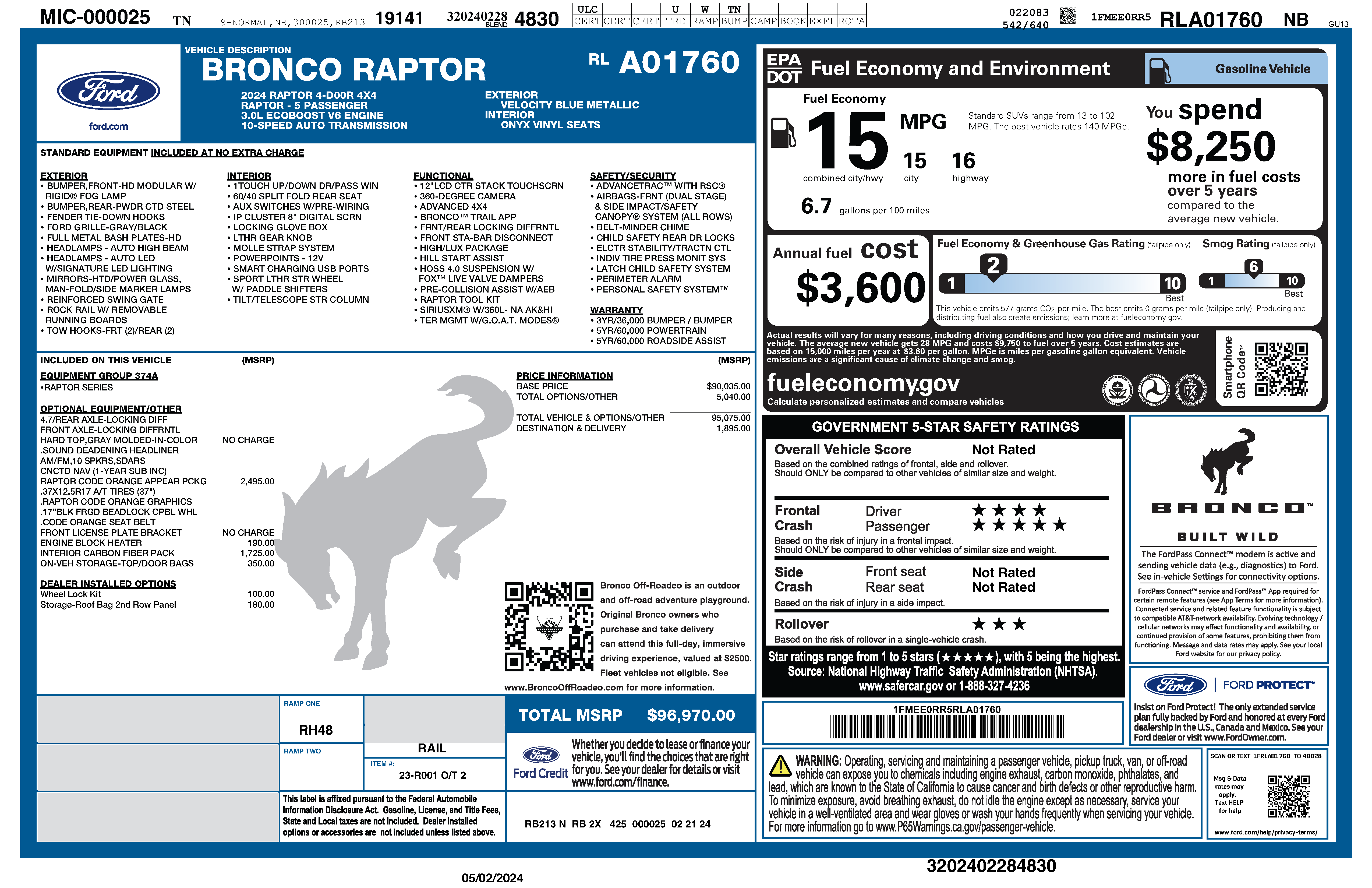
The Window Sticker API decodes a VIN to return the original window sticker information. This includes OEM-specific details about the vehicle such as make, model, trim, color, options, and specifications.

| Capabilities                 | Description                                                                                         |
| ---------------------------- | --------------------------------------------------------------------------------------------------- |
| **Decode VINs**              | Retrieve the original window sticker information by VIN.                                            |
| **View Vehicle Information** | View detailed vehicle information, including make, model, trim, color, options, and specifications. |
| **Access OEM Data**          | Obtain OEM-specific information about a vehicle.                                                    |

***

## Get Window Sticker

Access a PDF file of the original window sticker by VIN.
<Frame>
  <img src="https://mintcdn.com/drivly/26Ex-nQxnySgQw-c/images/data/windowsticker.png?fit=max&auto=format&n=26Ex-nQxnySgQw-c&q=85&s=c37273be209e5a1c2779261b289be66a" alt="Window Sticker Example" width="5100" height="3300" data-path="images/data/windowsticker.png" />
</Frame>
